Features
What hotdok does today: capture, search and organise documents, take payment data from QR bills and approve invoices with workflows.

Document processing
Text recognition
The text of your documents is recognised and searchable – you find an invoice by any word it contains.
Import by email
Every tenant has its own import address. Forward invoices and documents, and they land straight in hotdok.
Organise and file
Folders and folder templates, tags, correspondents, customers, document types and projects – so every document finds its place.
Automatic assignment
Workflow rules set the correspondent, document type, tags and folder as soon as a document arrives.
Invoice processing
Multi-level approval
Approval workflows with branches, deadlines and roles – you decide who approves which invoice.
Read QR bills
Amount, reference and additional information are taken from the invoice's QR code.
Project assignment
Tag invoices or assign them to folders, customers and projects.
Due dates in view
Info fields for amount, payment date, due date and reference, plus deadlines and status in the workflow.

Collaboration and security
Roles and permissions
Members and roles such as finance, HR or project team – each role sees and edits only what it needs.
Two-factor sign-in
Protect every account with a second factor.
Dashboard
Newly arrived documents, responsibilities and statistics at a glance.
Simple and intuitive
hotdok runs in the browser, with nothing to install. Open documents in the built-in viewer, with in-document search and comments.
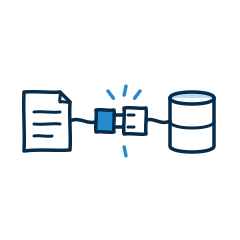
Integrations
hotdok is meant to fit into the systems you already use. Direct hand-off to accounting and ERP is in development; for your own connections there is a documented API.
Discover integrationsFrequently asked questions
The key questions and answers about hotdok.
About hotdok
Where is my data stored, and how is its security ensured?
How does the pricing model work, and what's included in the free version?
What services does hotdok offer?
What customer support does hotdok offer?
How do I stay informed about new features and offers?
Who is hotdok for?
How do I request a consultation or a quote?
About the features
How does hotdok help with capturing documents?
Which systems does hotdok integrate with?
Which modules are available, and how do they differ?
How does hotdok support collaboration between teams?
Can I integrate hotdok into my existing systems?
Try hotdok with your own receipts
The Starter plan is free and can be extended at any time as your team grows.
Get started
Try hotdok with your own receipts
The Starter plan is free and can be extended at any time as your team grows.
Get started